Actions
Bug #473
closed
RH
RH
Large Empty Space Below Add Studies Catalog on New Order Page
Bug #473:
Large Empty Space Below Add Studies Catalog on New Order Page
Start date:
10/20/2026
Due date:
% Done:
0%
Estimated time:
Resolved By:
Description
Summary
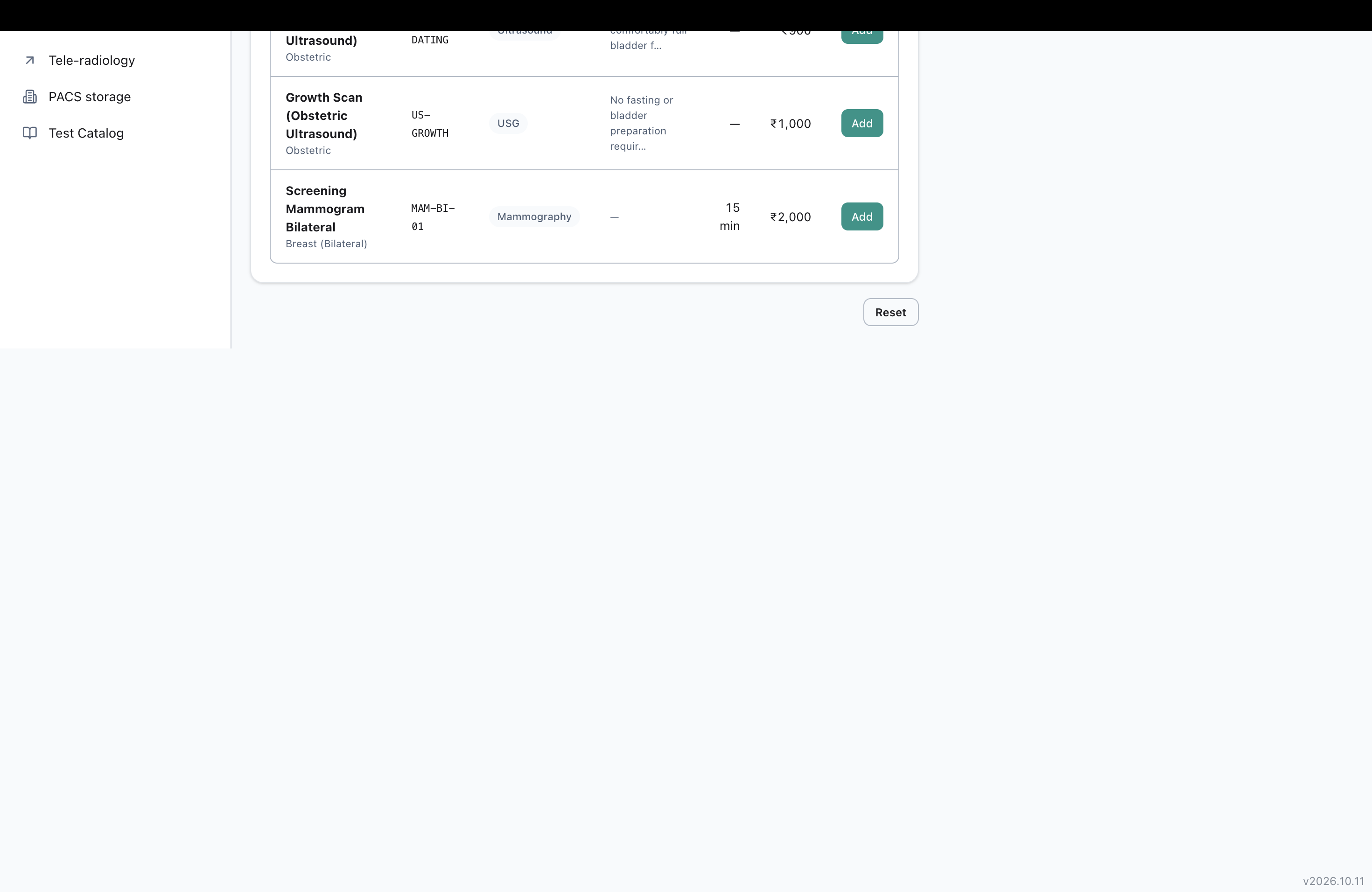
On the New Order page, under step 3 ("Add studies"), scrolling the page down past the end of the study catalog list leaves a large empty blank area with no content, before the page footer appears.
Impact
Low severity, cosmetic. The page looks broken/unfinished past the catalog list, and users scrolling down see a large blank gap with nothing in it before reaching the footer. No functional blocker, but it looks like a layout bug.
Environment
Clinq HMS demo environment, NSS Hospital (nssh.demo.clinq.health), New Order page (Radiology Orders > New Order). Tested 20 October 2026.
Steps to Reproduce
- Go to Radiology Orders > New Order.
- Scroll down to step 3, "Add studies", which shows a table of catalog tests with Add buttons.
- Continue scrolling the page down past the bottom of this catalog list/table.
Expected vs Actual
Expected: the page content ends shortly after the catalog list, with normal spacing before the footer.
Actual: after the catalog list, there is a large empty white area with no content, extending most of the remaining viewport height, before the footer (version number) appears in the bottom corner.
Files

Actions