Bug #679
closedAllow the prescription print without medicines (all hospitals), and add Vitals, Examination and Plan to the print (NSSH only)
0%
Description
Module: OPD → Consultation → Prescription print
Environment: Test, NSSH: https://nssh.test.clinq.health/opd/consultation
Type: Enhancement
Priority: Medium–High
Requested by: NSSH, Gynecology & Obstetrics
Background
In Gynecology, medicines are usually prescribed at the first consultation. At follow-up visits, doctors often examine the patient and ask them to continue the same medicines, without adding new ones. The patient still needs a printed record of the visit: findings, advice, investigations and the next visit date.
Current behaviour
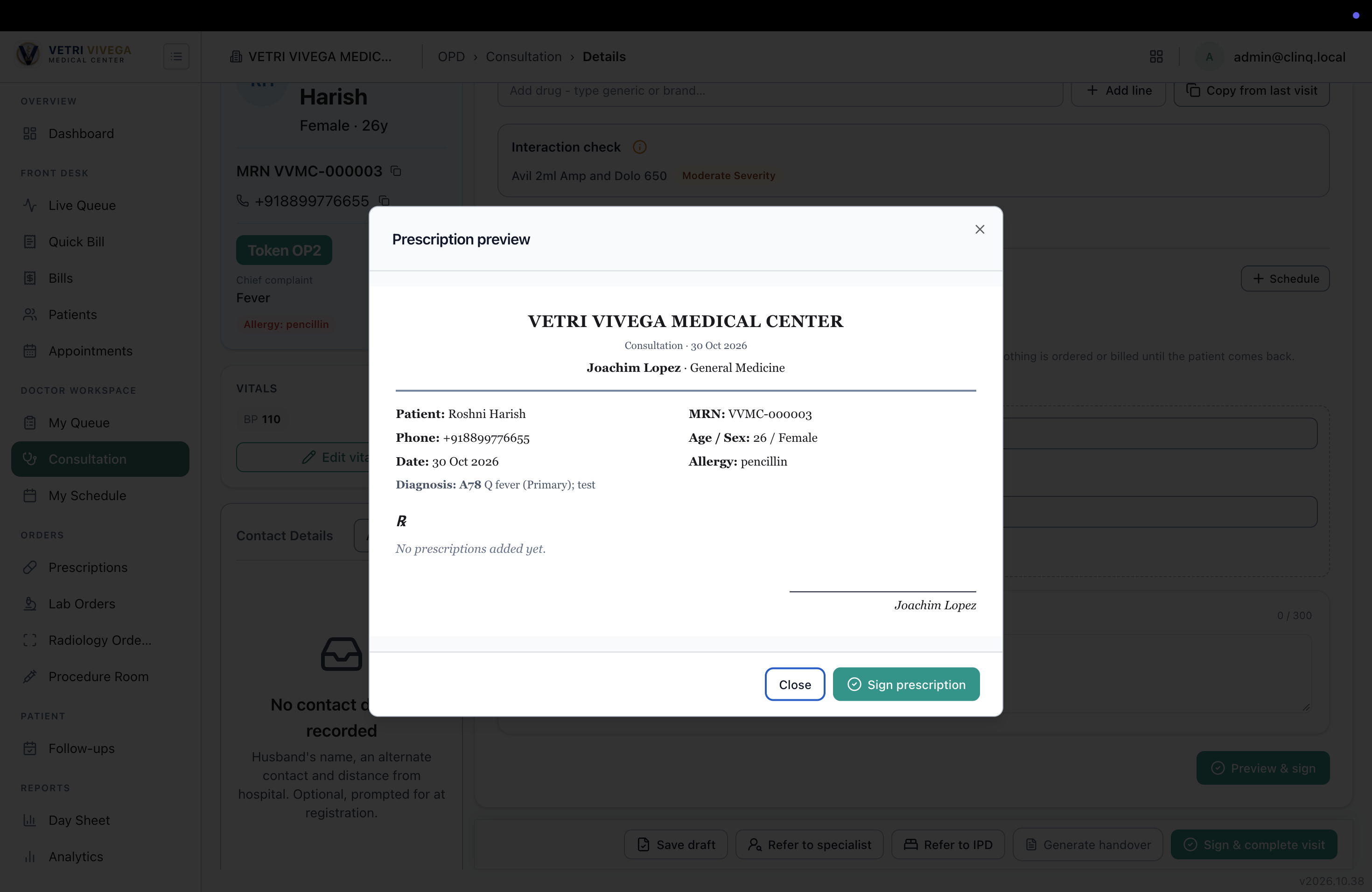
With no medicines, the prescription print shows only the patient details, date and diagnosis, with “No prescriptions added yet.”
Signing a prescription with no medicines isn’t consistent. In some cases it fails with “Add at least one drug before signing the prescription.”
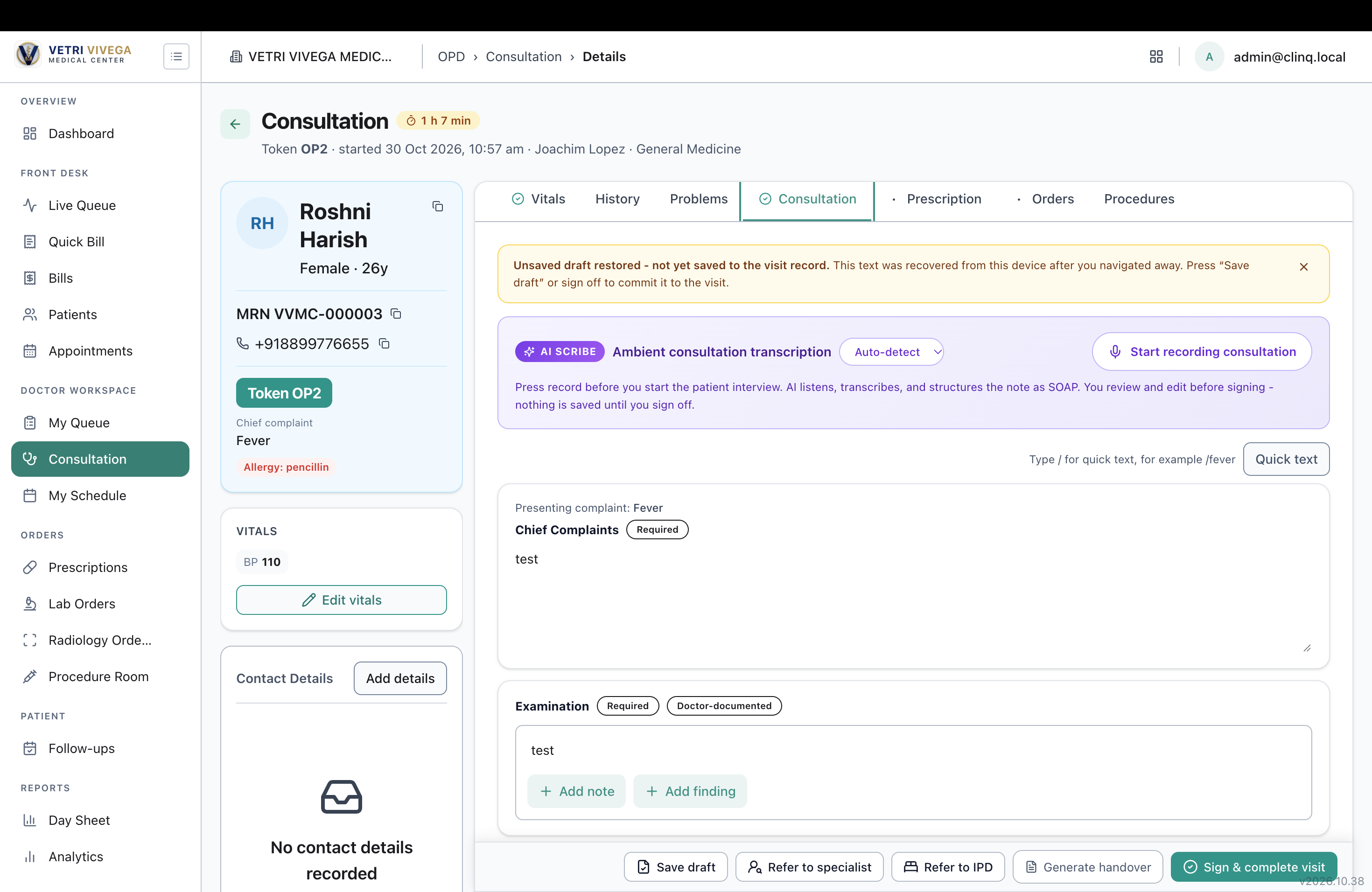
Vitals, examination and plan aren’t included in the prescription print.
Generate Handover isn’t a substitute. It’s a confidential doctor-to-doctor document with AI-summarised text, and it leaves out vitals, advice and the follow-up date.
So on follow-up visits without new medicines, the patient gets no useful printout.
Expected behaviour
Part A: All hospitals
A prescription can be previewed, printed and signed with no medicines added, consistently.
When there are no medicines, the Rx section shows “No new medicines.” Optionally, offer “Continue current medicines,” listing the active medicines.
Part B: NSSH only (hospital-level print setting)
Add these sections to the prescription print, shown only when filled in:
Section Why it’s needed for Gynec / ANC
Vitals BP and weight are tracked at every ANC visit (BP for pre-eclampsia, weight gain across the pregnancy).
Examination The main content of a follow-up visit: fundal height, fetal heart rate, presentation, oedema.
Plan Specific next steps not covered elsewhere, such as “USG anomaly scan at 20 weeks” or “Review with GTT report.”
Configuration:
NSSH: on
VVMC and other hospitals: off (print layout unchanged)
Default for new hospitals: off
Unchanged (all hospitals)
The existing sections keep printing as they do now: patient details, diagnosis (with ICD codes), investigations, investigations at review, advice, and the review / follow-up date.
Acceptance criteria
All hospitals
A prescription can be previewed, printed and signed with no medicines added, with no “Add at least one drug” error.
The Rx section shows “No new medicines” (or “Continue current medicines” with the list) when no drugs are added.
Prescriptions that do have medicines keep working as they do now.
The review / follow-up date and advice print as they do today.
NSSH only
A hospital-level print setting controls whether Vitals, Examination and Plan appear on the prescription print.
At NSSH, these sections print when filled in, and empty sections are hidden.
At VVMC and other hospitals, the prescription print layout is unchanged.
Files
RH Updated by Roshni Harish. 7 days ago
- Status changed from Resolved to Closed