Bug #550
closedDeactivated Modality Still Shown as Online
0%
Description
Deactivating a modality from the Modalities master list does not change its Status badge, which keeps showing "Online" everywhere it appears — on the modality's own row, in the Modalities page summary count, and on the Radiology Dashboard.
Impact
Anyone checking the Dashboard or the Modalities list to see what equipment is actually available — a radiographer, a scheduler, or an admin — has no way to tell a modality has been turned off. A deactivated machine still reads as "Online" with 100% uptime, which could lead to a patient being scheduled or walked in to a machine that isn't actually in service.
Environment
NSS Hospital tenant, Radiology module, Masters → Modalities page and the Radiology Dashboard. Build v2026.10.22.
Steps to Reproduce
- Go to Radiology → Masters → Modalities.
- Turn off the Activate/Deactivate toggle for CT Scanner 01.
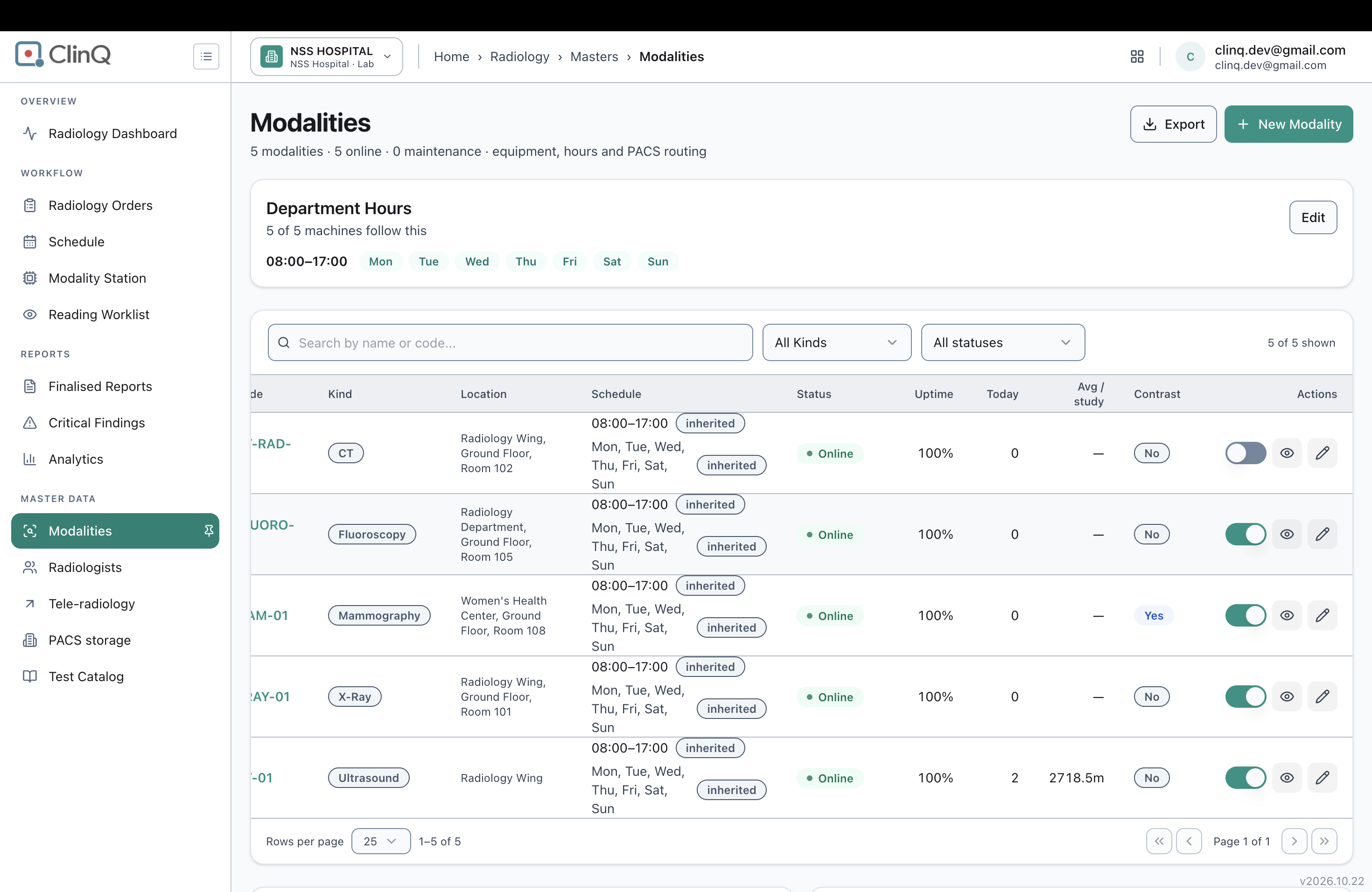
- Look at CT Scanner 01's own row, and the page summary line at the top ("5 modalities · 5 online").
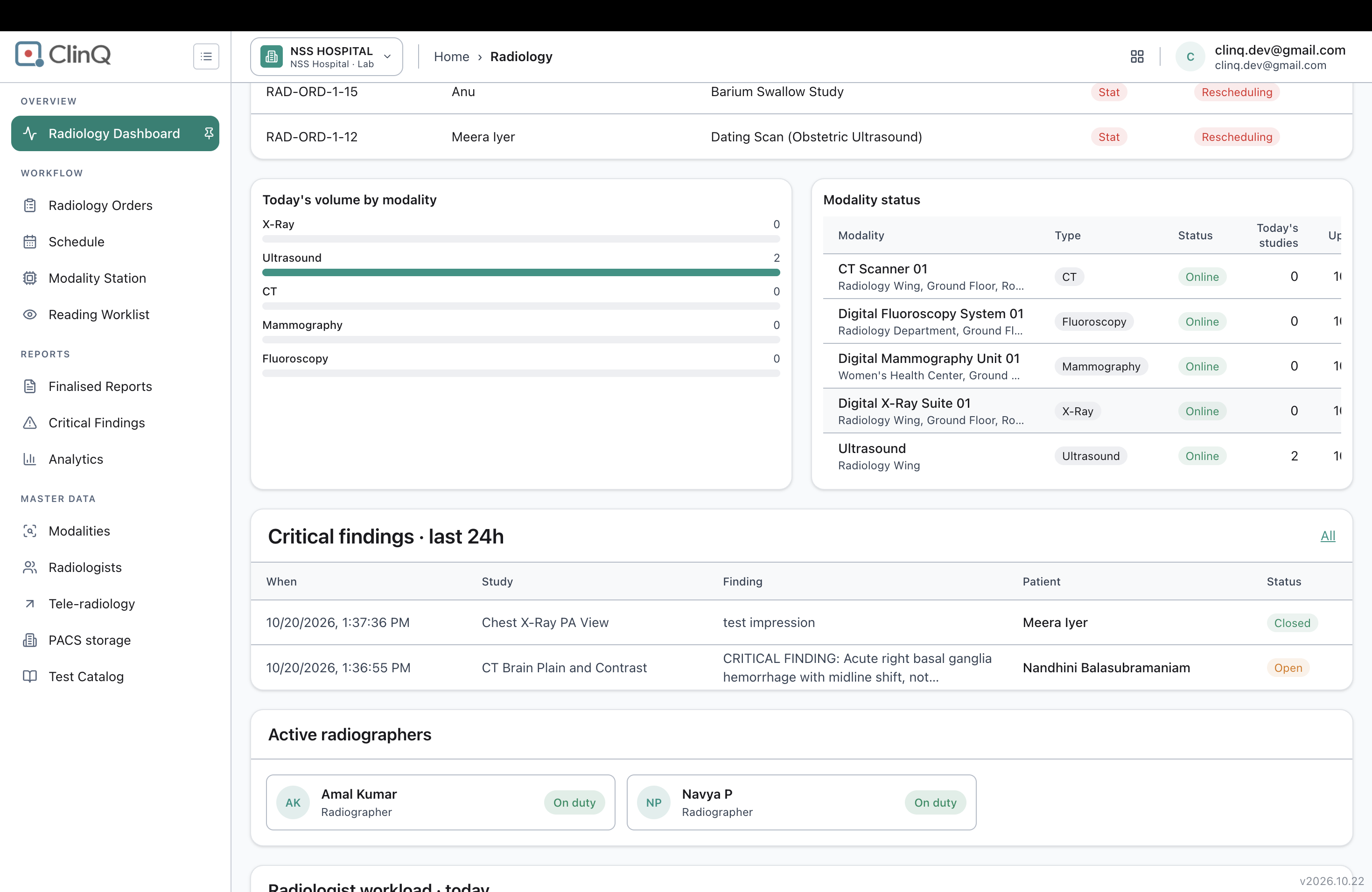
- Go to the Radiology Dashboard and check the header count and the Modality status table.
Expected vs Actual
Expected: once a modality is deactivated, its Status should reflect that (e.g. "Inactive" or "Offline"), the Modalities page summary should count it out of the "online" total (4 of 5, not 5 of 5), and the Dashboard's modality count and status table should show the same.
Actual: CT Scanner 01 still shows "Online" with 100% uptime on its own row, the Modalities page still says "5 modalities · 5 online," and the Dashboard still says "5/5 modalities online" and lists CT Scanner 01 as Online in the Modality status table.
Files
AV Updated by Alminta V. 18 days ago
- Status changed from New to Resolved
- Assignee changed from Alminta V. to Roshni Harish.
- Resolved By set to Alminta V.
RH Updated by Roshni Harish. 17 days ago
- Status changed from Resolved to Closed