Actions
Bug #538
closed
RH
RH
"View Report" Button Unresponsive on Completed Order
Bug #538:
"View Report" Button Unresponsive on Completed Order
Start date:
10/23/2026
Due date:
% Done:
0%
Estimated time:
Resolved By:
Description
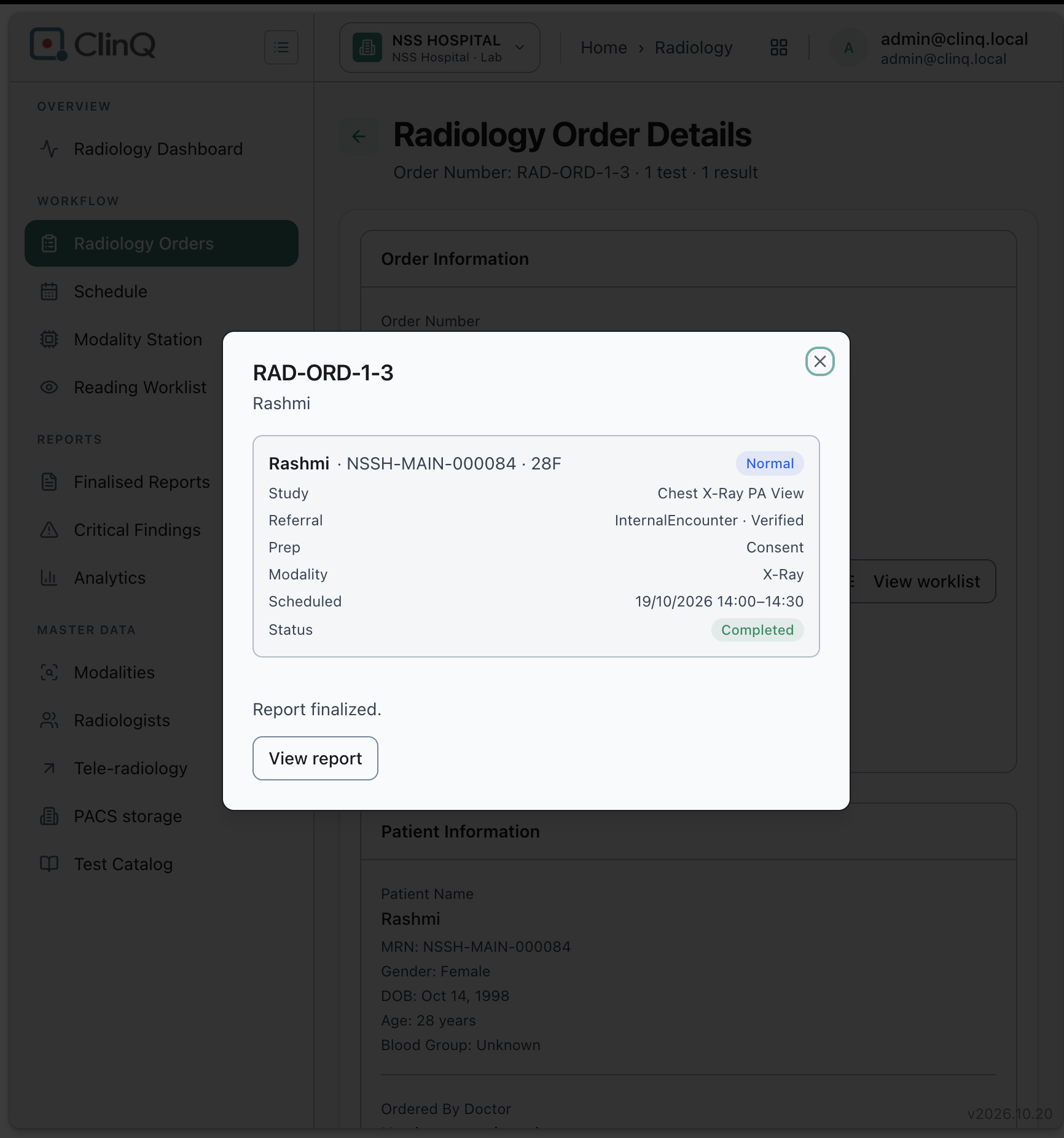
On the Radiology Order Details page, clicking "View report" for a completed, report-finalized order does nothing — no report opens, no navigation, no error shown.
Impact
High. This is the only way shown on this page to open a finalized report for a completed order — if it doesn't work, staff have no path from here to actually read the report they came to check.
Environment
Clinq HMS, NSS Hospital demo, Radiology Order Details page, logged in as admin@clinq.local. Order RAD-ORD-1-3 (Rashmi, Chest X-Ray PA View), Status: Completed, Report finalized.
Steps to Reproduce
- Go to Radiology Orders and open order RAD-ORD-1-3 (Rashmi, Chest X-Ray PA View).
- On the order detail popup, confirm Status is "Completed" and the note "Report finalized." is shown with a "View report" button.
- Click "View report."
- Nothing happens — no report view opens, no new tab, no loading indicator, no error message.
Expected vs Actual
Expected: clicking "View report" should open the finalized report (inline, in a modal, or in a new tab).
Actual: the button appears clickable but produces no visible response at all.
Notes
Reported directly from screenshot evidence (two consecutive clicks on "View report," same unresponsive result both times); not yet cross-checked against the Finalised Reports page to see whether the same report opens correctly from there instead.
Files
Actions