Bug #534
closedReschedule Flow: Status Stuck Until Refresh, Resource/Technician Dropdowns Go Empty
0%
Description
Summary
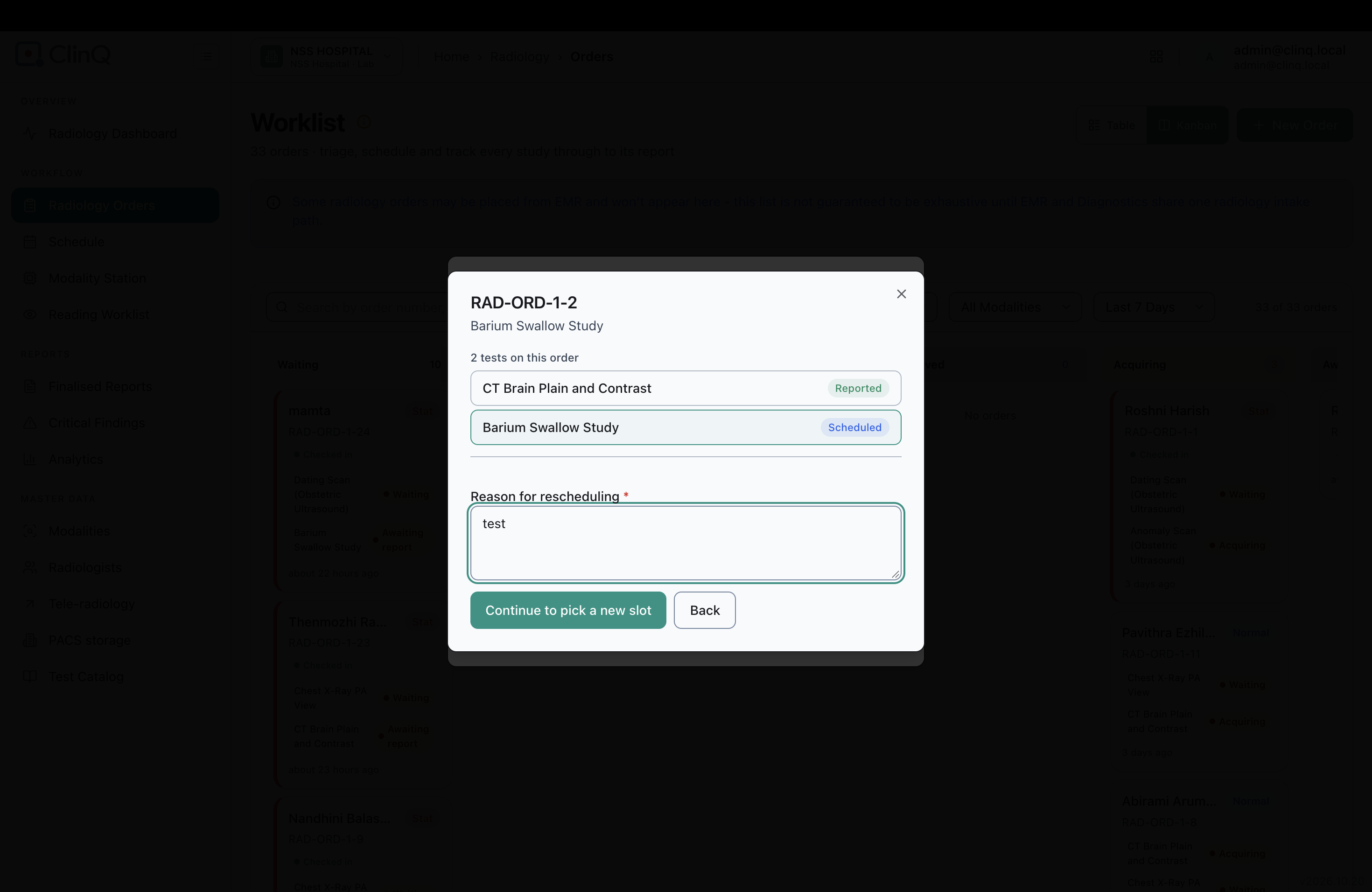
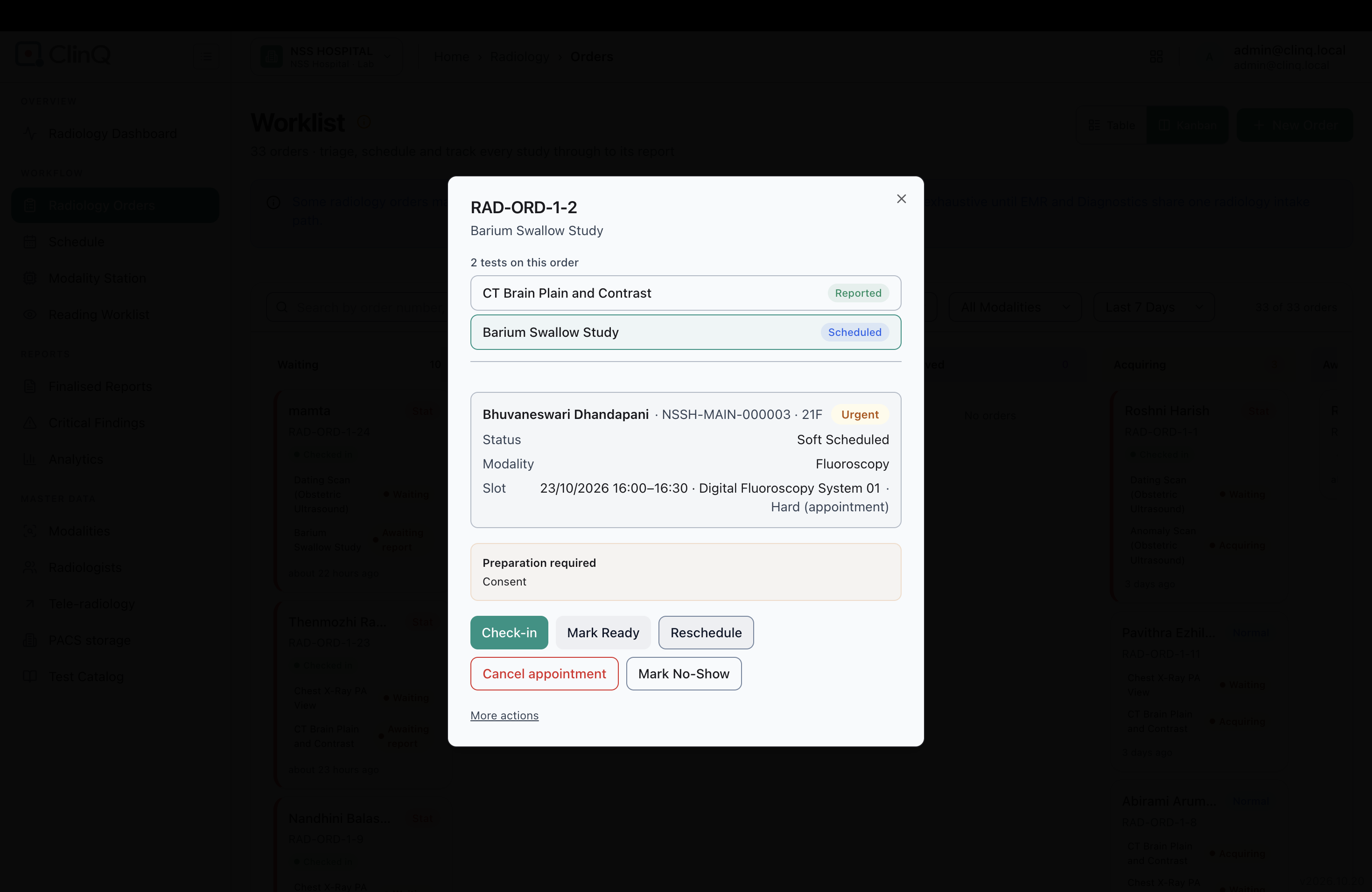
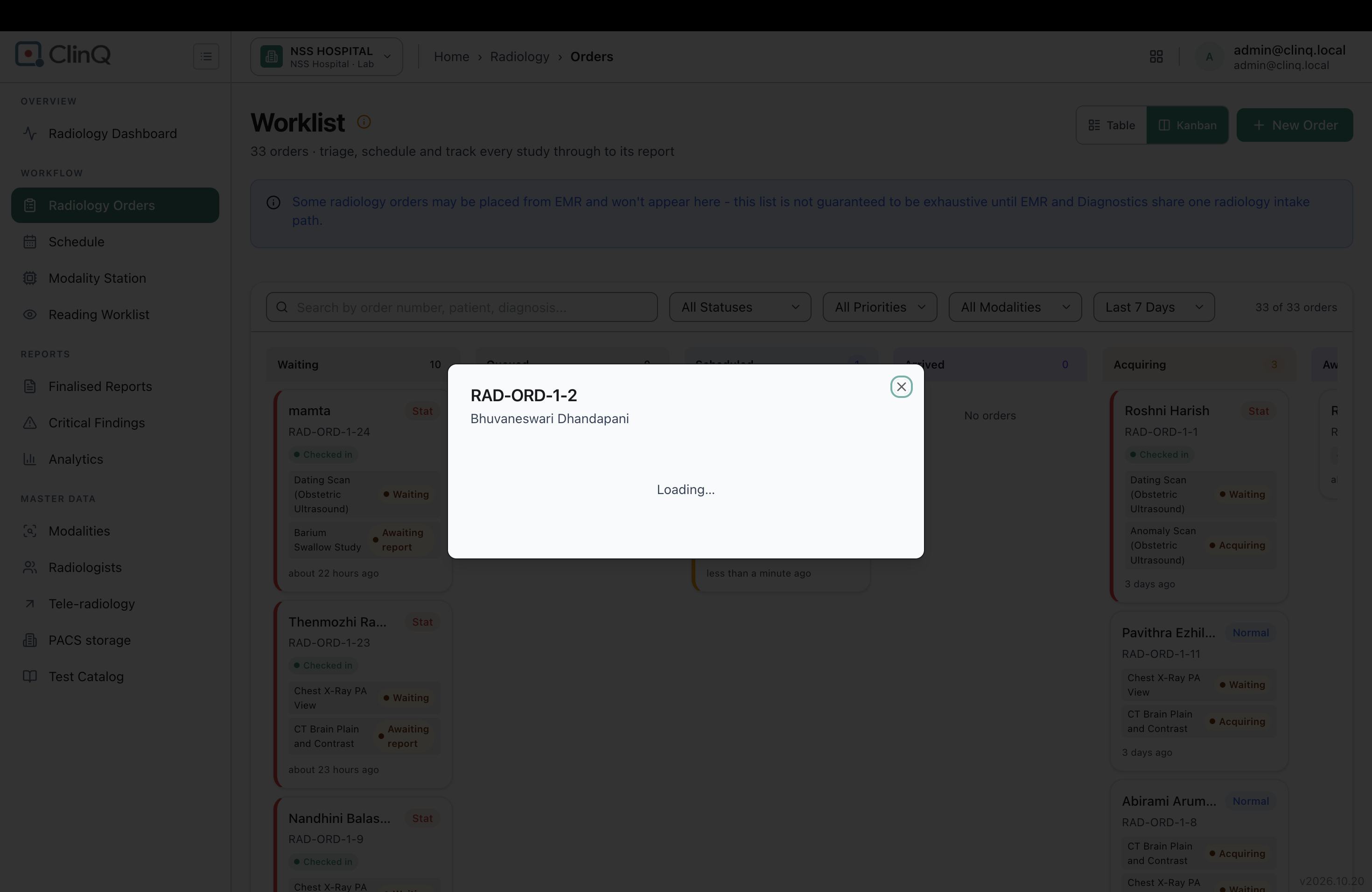
Two bugs in the Reschedule flow. After rescheduling without picking a new slot, the order keeps showing as Scheduled (not Exception) until the page is refreshed, and its detail popup hangs on "Loading..." in the meantime. Once refreshed, trying to pick a new slot shows an empty Resource and Technician dropdown, so the order can't actually be rebooked.
Impact
High. The empty Resource dropdown blocks rebooking entirely from this modal — the only workaround is "Choose from Schedule page." The stale status is confusing on the Kanban board until someone thinks to refresh. Also, on multi-test orders, a sibling test that's still Waiting becomes harder to spot because its whole order gets moved into Exceptions.
Environment
Clinq HMS, NSS Hospital demo, Radiology Orders, logged in as admin@clinq.local. Tested on RAD-ORD-1-25, RAD-ORD-1-33, and RAD-ORD-1-15.
Steps to Reproduce
- Reschedule a Scheduled order without picking a new slot.
- Without refreshing: the order still shows as Scheduled, and its detail popup hangs on "Loading..."
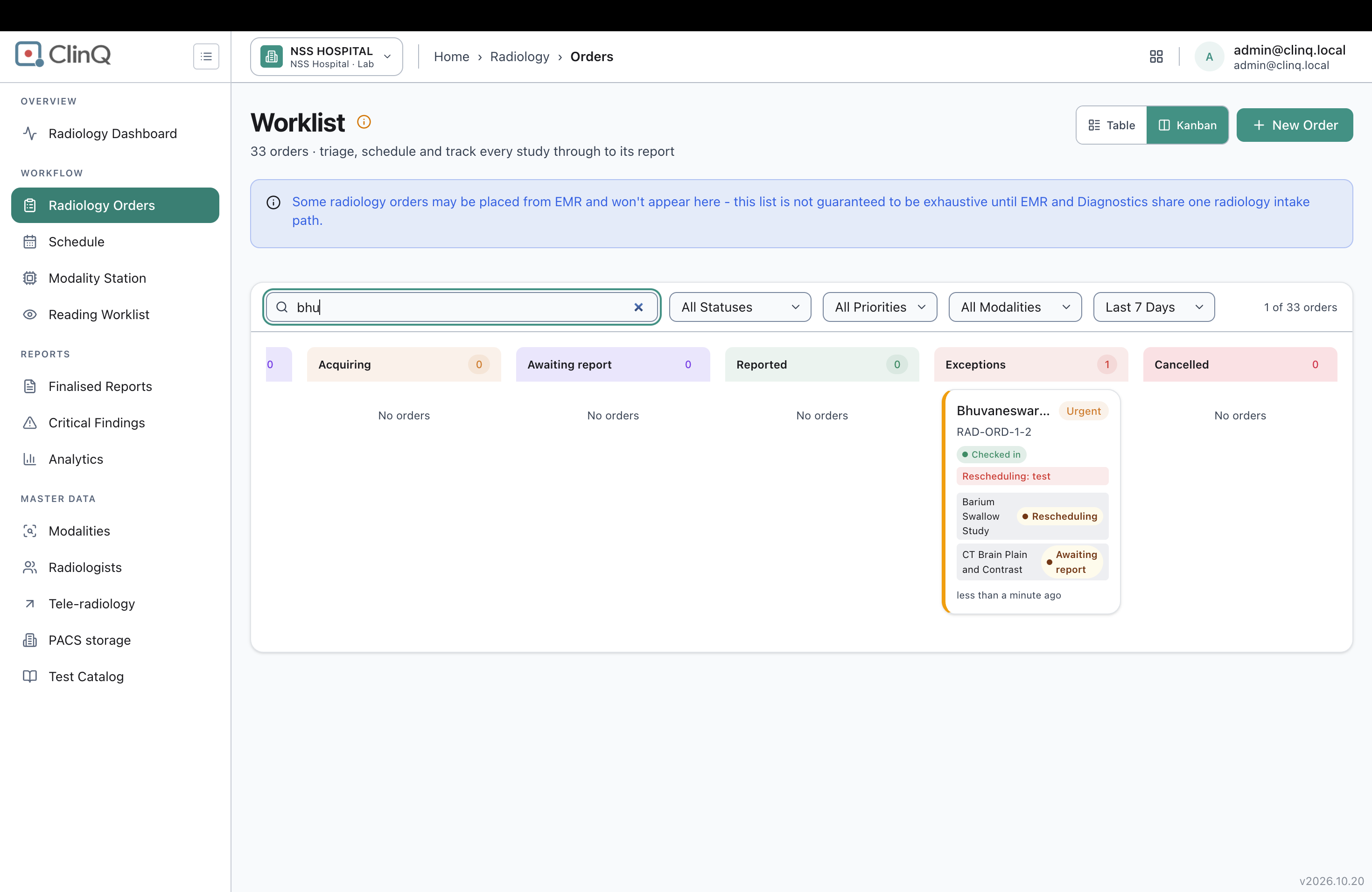
- Refresh the page: the order now correctly shows as Rescheduling/Exception.
- Reopen Book Slot: Resource and Technician are both empty — no way to rebook.
- On a 2-test order, rescheduling one test moves the whole order into Exceptions, even though the other test is still just Waiting.
Expected vs Actual
Expected: status updates immediately on reschedule, and the Resource/Technician dropdowns populate normally for rebooking.
Actual: status only updates after a manual refresh, the detail popup hangs until then, and the dropdowns stay empty even after refreshing — rebooking is blocked.
Files