Bug #478
closedNo Previous Day Navigation Button on Schedule Page
0%
Description
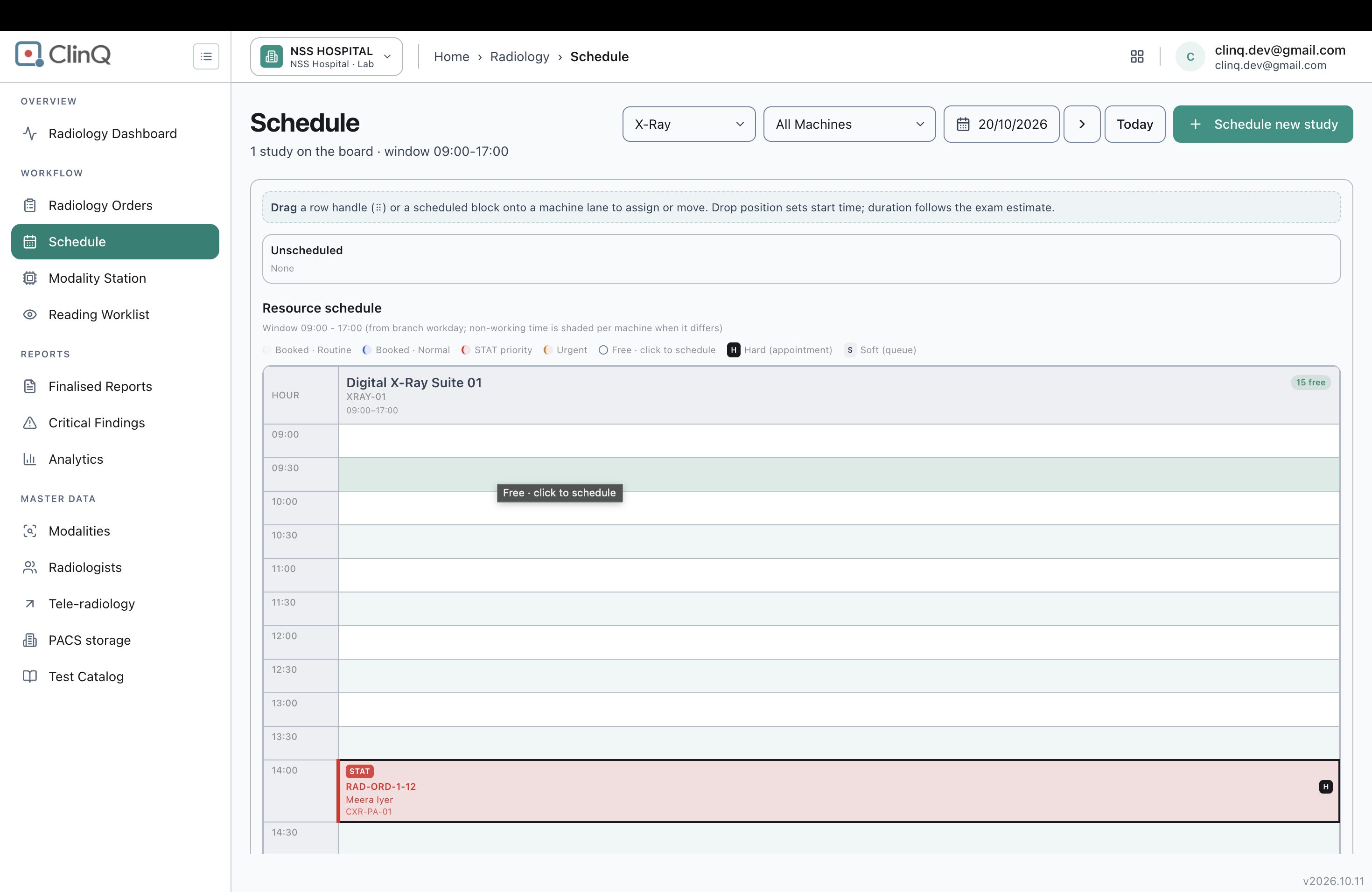
The Schedule page's date controls have a "Next day" button and a "Today" button, but no "Previous day" button. There is no way to step back one day at a time; the only way to view an earlier date is to open the date field and pick it manually from the calendar widget.
Impact
Low-medium severity, usability. Staff wanting to check yesterday's schedule, or step backward through recent days to review what was booked, have no quick way to do it — they have to open the date picker and manually select each date instead of clicking back repeatedly, which is the expected pattern given a "Next day" button exists.
Environment
Clinq HMS demo environment, NSS Hospital (nssh.demo.clinq.health), Schedule page. Tested 20 October 2026.
Steps to Reproduce
- Go to Radiology > Schedule.
- Look at the date controls next to the date field (currently showing Today's date).
- Look for a way to step back to the previous day.
Expected vs Actual
Expected: a "Previous day" button next to the "Next day" button, letting staff step backward through dates the same way they can step forward.
Actual: only "Next day" and "Today" buttons exist (confirmed via the page's interactive elements: a "Schedule date" field, a "Next day" button, and a "Today" button — no "Previous day" control). Viewing an earlier date requires opening the date field and picking it manually from the calendar.
Files
AV Updated by Alminta V. 23 days ago
- Status changed from New to Resolved
- Assignee changed from Alminta V. to Roshni Harish.
- Resolved By set to Alminta V.
RH Updated by Roshni Harish. 22 days ago
- Status changed from Resolved to Closed