Bug #472
closedOrder Referral Type Always Displays as "Internal" in Triage Modal
0%
Description
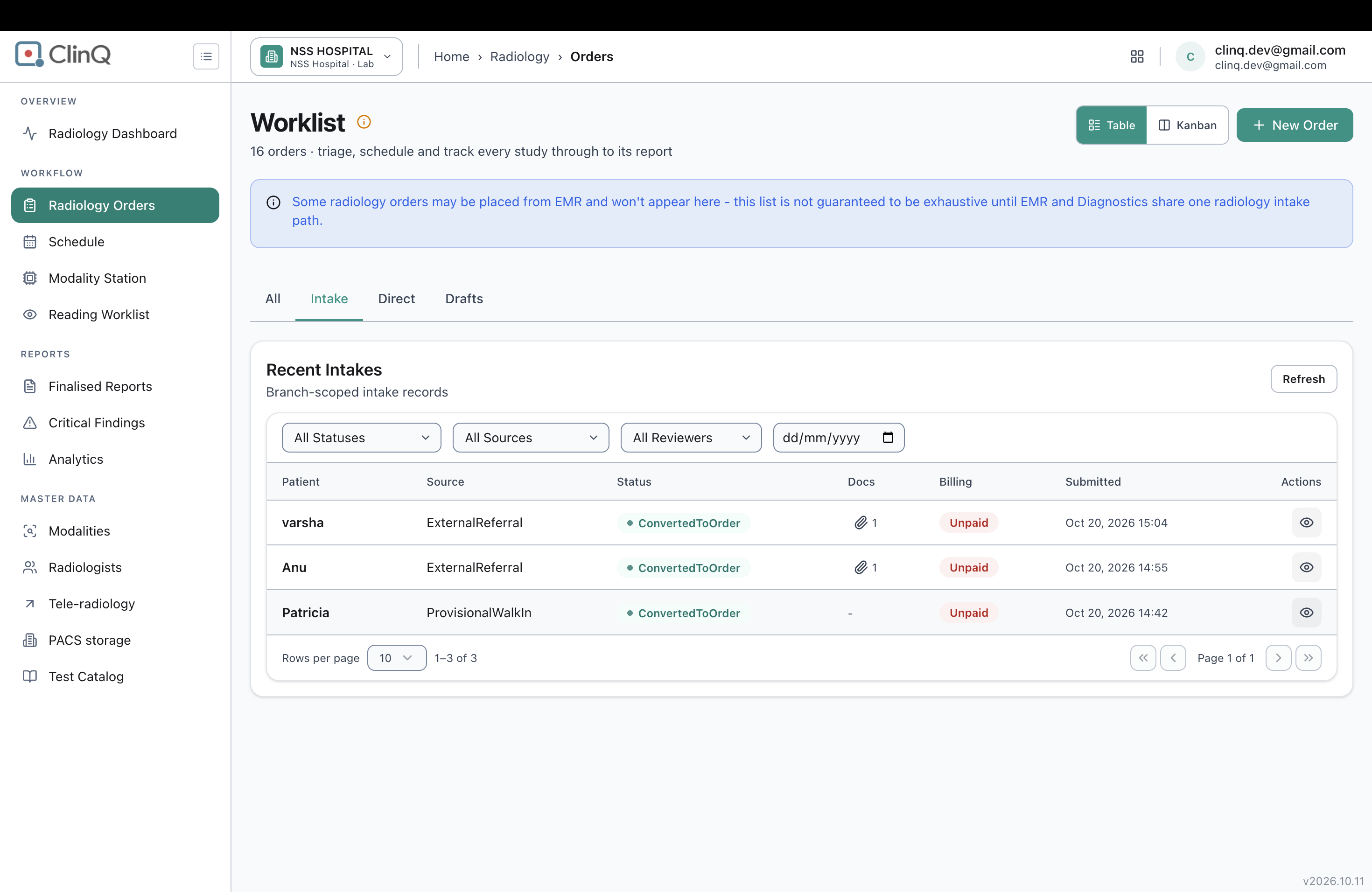
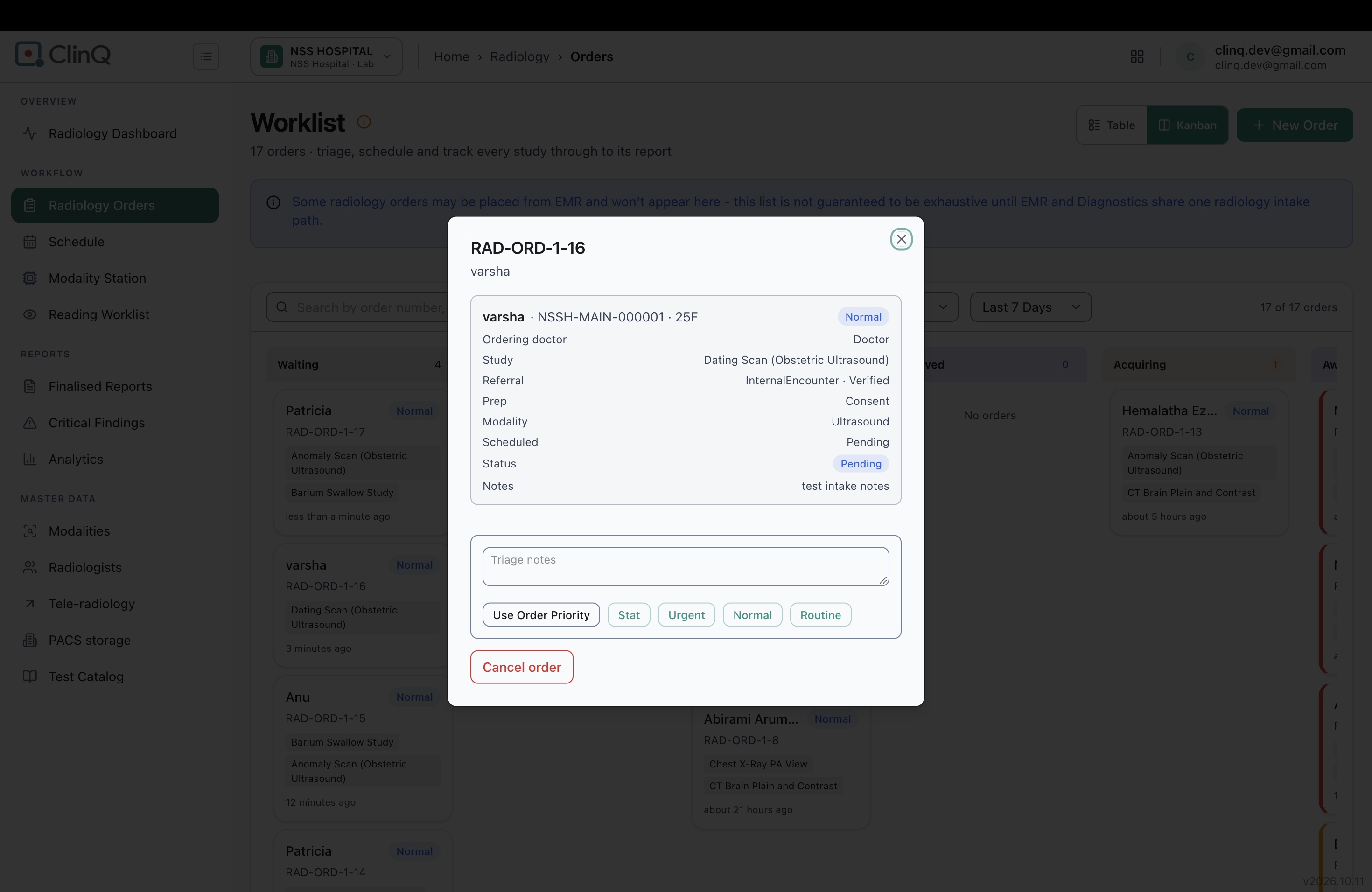
The Referral field in an order's triage/detail modal (opened from the Waiting column on the Radiology Orders page) always displays "Internal", regardless of which referral type was actually selected when the order was created. Orders created through External Referral and through Provisional Walk-in both show the same "Internal" value.
Impact
Medium severity. Staff triaging or reviewing an order from this modal cannot tell whether it came in as an Internal order, an External Referral, or a Provisional Walk-in, since the field shows "Internal" for all of them. This undermines referral-source tracking and any workflow or audit step that depends on knowing the true referral type at a glance.
Environment
Clinq HMS demo environment, NSS Hospital (nssh.demo.clinq.health), Radiology Orders module. Tested 20 October 2026.
Steps to Reproduce
- Go to Radiology Orders > New Order.
- Select a patient, set priority, and switch to the External Referral tab. Fill in the required Reference Number/Issuer Name and upload a document. Add one or more studies and click "Accept and Create Order".
- Separately, create another order using the Provisional Walk-in tab (fill in required Intake Notes, add studies) and click "Submit Intake (Pending)".
- On the Radiology Orders worklist (Kanban view), find each new order in the Waiting column and click its card to open the triage/detail modal.
- Check the value shown in the Referral field.
Expected vs Actual
Expected: the Referral field in the triage modal reflects the referral type actually chosen at order creation — "External Referral" for the order submitted via External Referral, and "Provisional Walk-in" for the order submitted via Provisional Walk-in.
Actual: both orders show the Referral field as "InternalEncounter · Verified", with no space or separator between "Internal" and "Encounter". The field appears to always render a static "Internal" value run together with an "Encounter · Verified" status fragment, never the order's actual referral type.
Files
AV Updated by Alminta V. 23 days ago
- Status changed from New to Resolved
- Assignee changed from Alminta V. to Roshni Harish.
- Resolved By set to Alminta V.
RH Updated by Roshni Harish. 22 days ago
- Status changed from Resolved to Closed