Bug #456
closedNo All-Modalities View on Modality Station
0%
Description
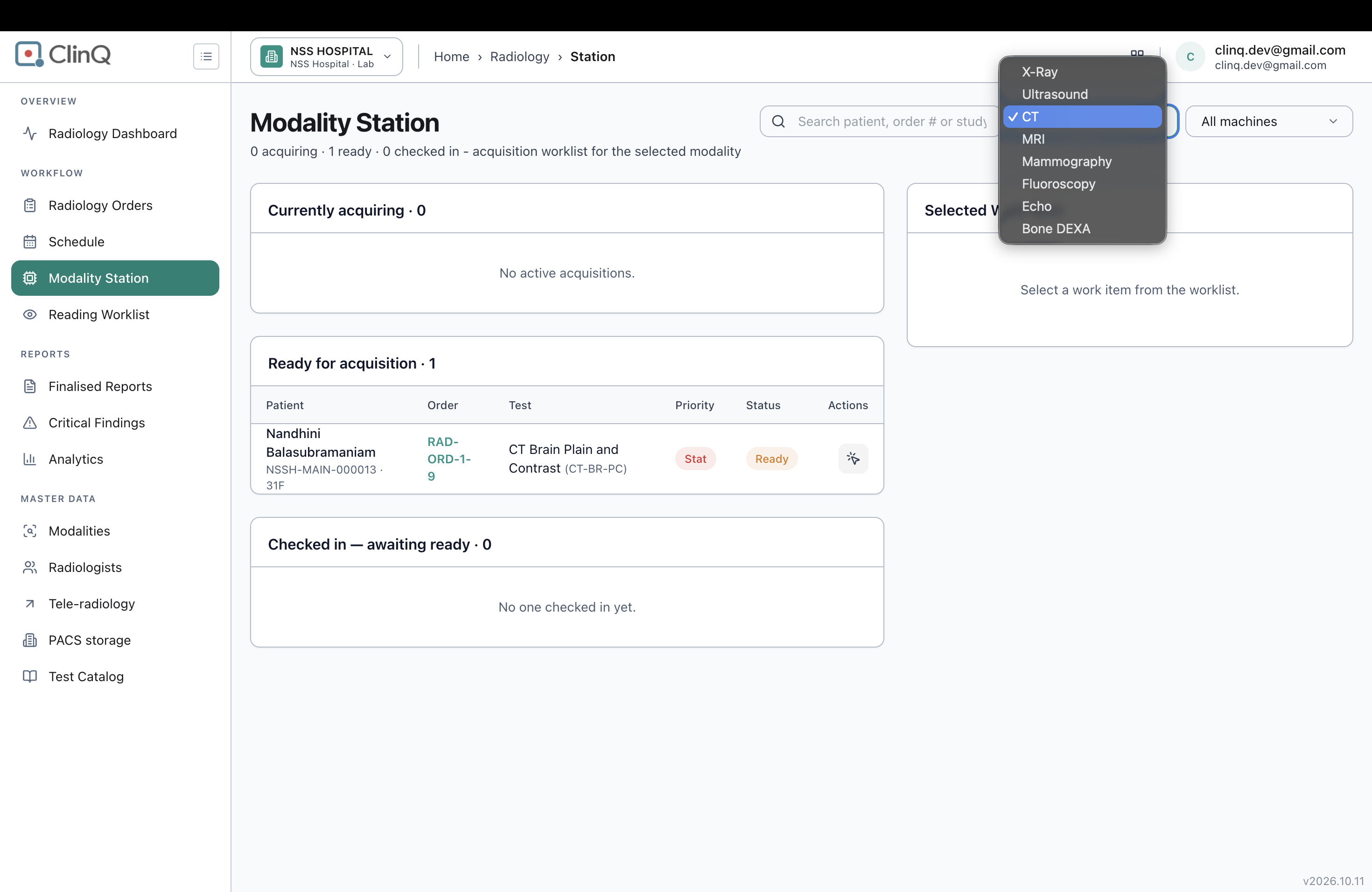
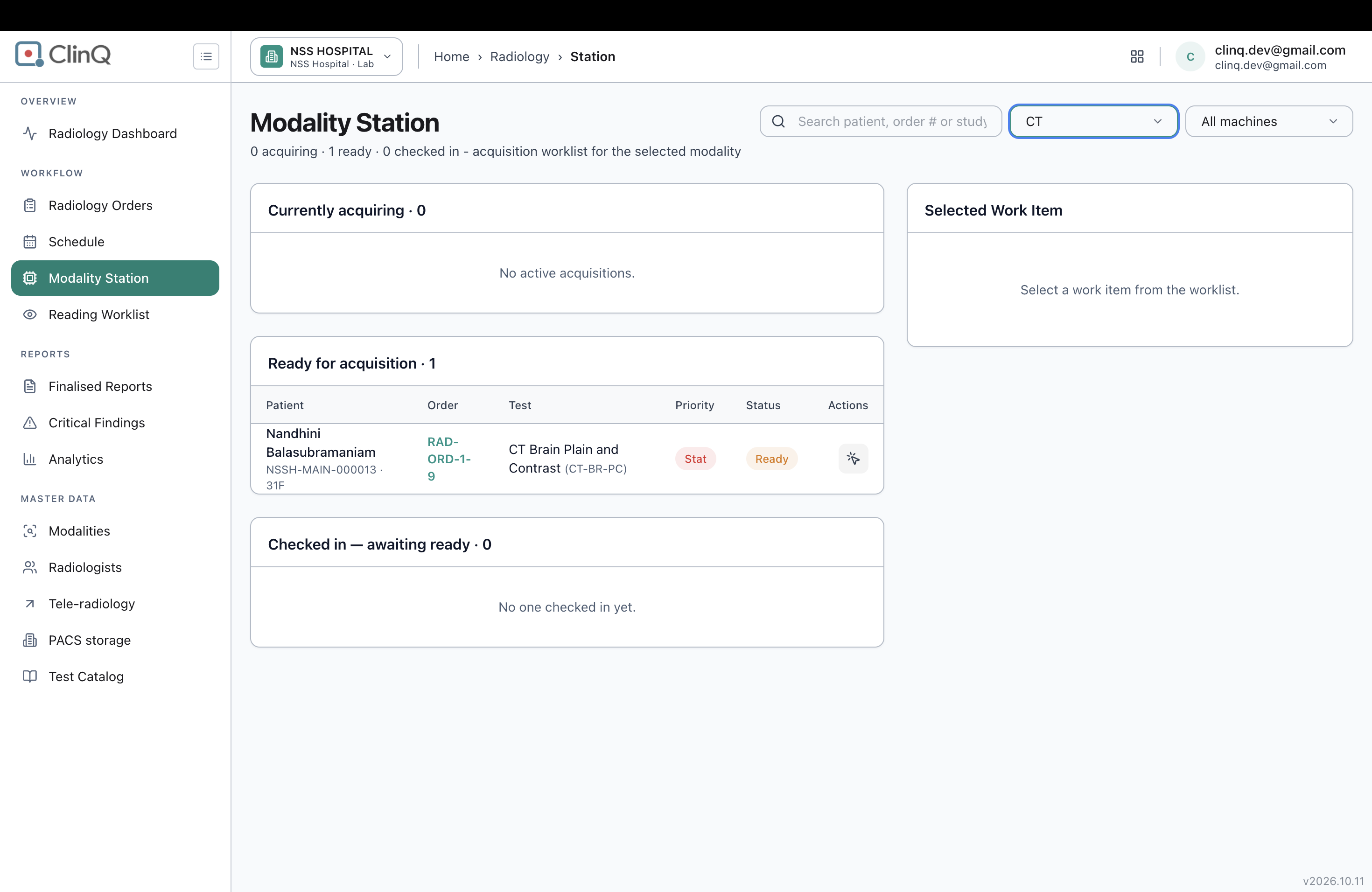
The Modality Station screen only shows acquiring/ready/checked-in counts for one modality at a time — you have to pick CT, MRI, X-Ray, etc. from a dropdown before anything shows up. There's no "All modalities" choice in that dropdown, even though the machine filter right next to it ("All machines") already supports exactly that kind of rollup.
Impact
A single-modality tech (someone working only the CT scanner) is fine with this — it matches how they work. But a charge tech or supervisor who wants to see what's backed up across the whole radiology department has no way to do that from this screen. They'd have to click through X-Ray, Ultrasound, CT, MRI, Mammography, Fluoroscopy, Echo, and Bone DEXA one at a time and keep count themselves, which doesn't scale and is easy to get wrong.
Expected vs Actual
- Modality Filter
Expected:
The modality filter should include an "All modalities" option, similar to the machine filter.
Actual:
The filter only lists individual modalities, with no "All modalities" option.
- Department-Wide View
Expected vs Actual
Expected:
A single screen should display acquiring, ready, and checked-in orders across all modalities.
Actual:
Users must check each of the 8 modalities individually to view their respective orders.
Files