Bug #455
closedRadiology Order Priority Mismatch (Routine → Normal)
0%
Description
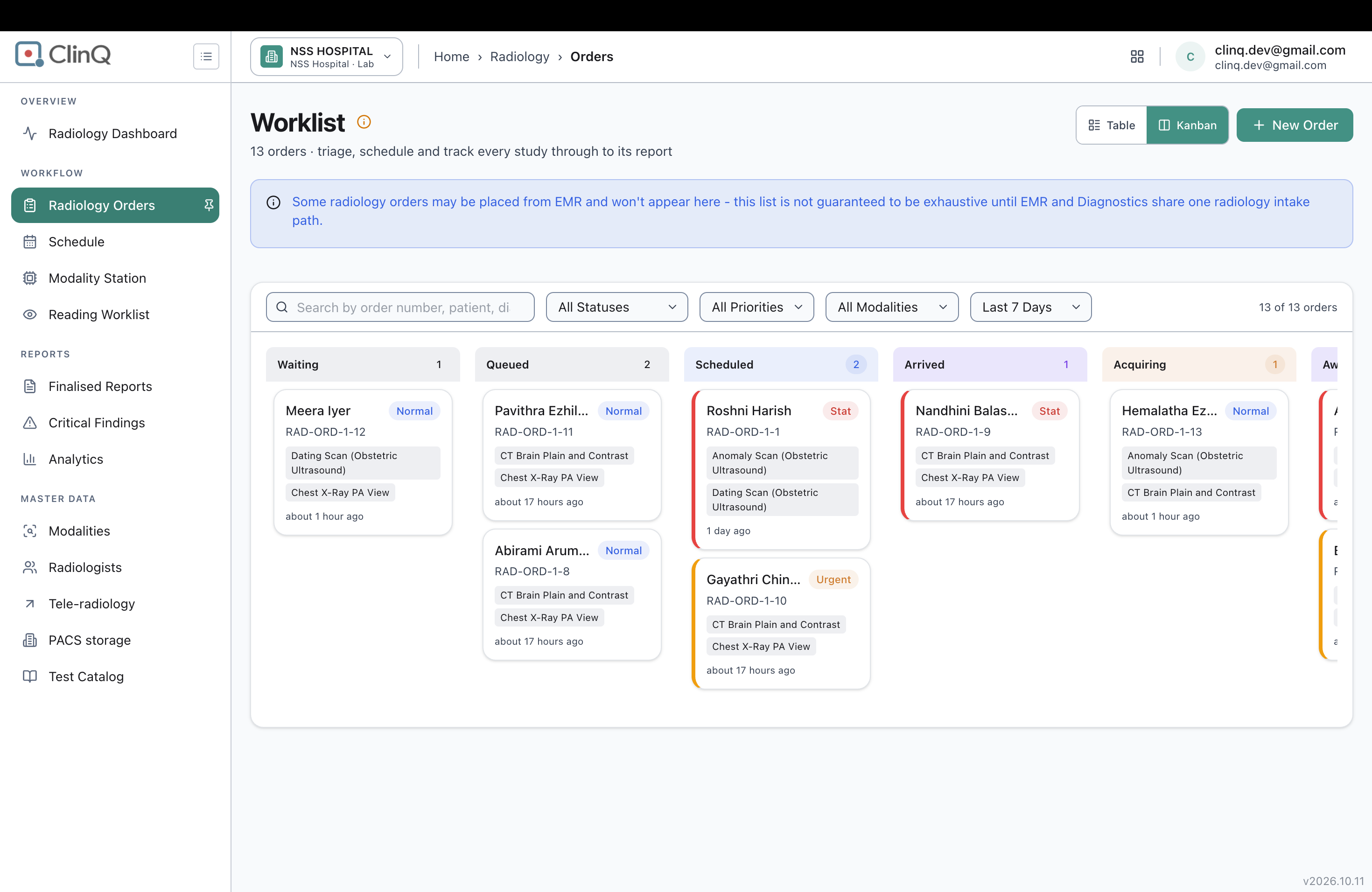
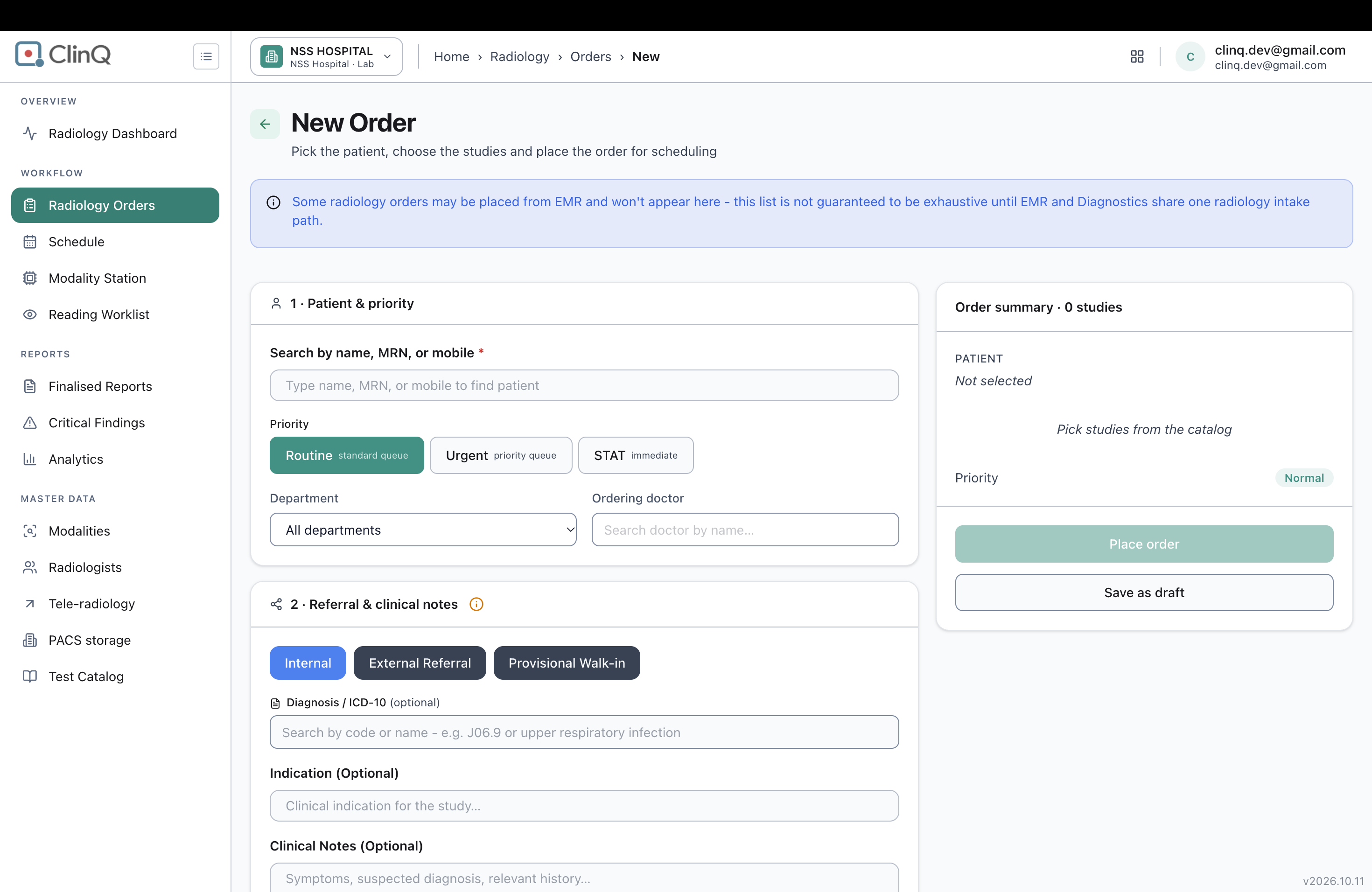
When you create a radiology order, the New Order form only lets you pick from 3 priorities: Routine, Urgent, or STAT. If you leave it on the default (Routine) and place the order, it doesn't stay Routine — everywhere you look at the order afterward (the worklist card, the order page, and the triage popup) it shows as Normal instead, a label the New Order form never even offers as a choice.
Impact
No data is lost, but anyone scanning the worklist sees the wrong priority. It breaks trust in the priority badges across the app, since the label changes on its own with no warning.
Steps
- Go to Radiology > Orders > New Order.
- Pick a patient (e.g. Meera Iyer, MRN NSSH-MAIN-000093).
- Leave Priority on the default, Routine — don't touch Urgent or STAT.
- Add at least one study, then click Place order.
- Open the Radiology Orders worklist and find the order under Waiting.
- Look at the priority badge on the card — note it now says Normal.
- Click the order to open its detail popup and check the priority there too — same result, Normal.
Expected vs Actual
Expected:
Priority should be displayed as Routine in all three locations.
Actual:
The priority is displayed as Normal instead of Routine in the following locations:
- Worklist card badge
- Order detail header
- Triage popup
Files