Bug #450
closedRadiology Test Catalog: the Back buttons on the test's Edit page and Detail page send the user round in a loop
0%
Description
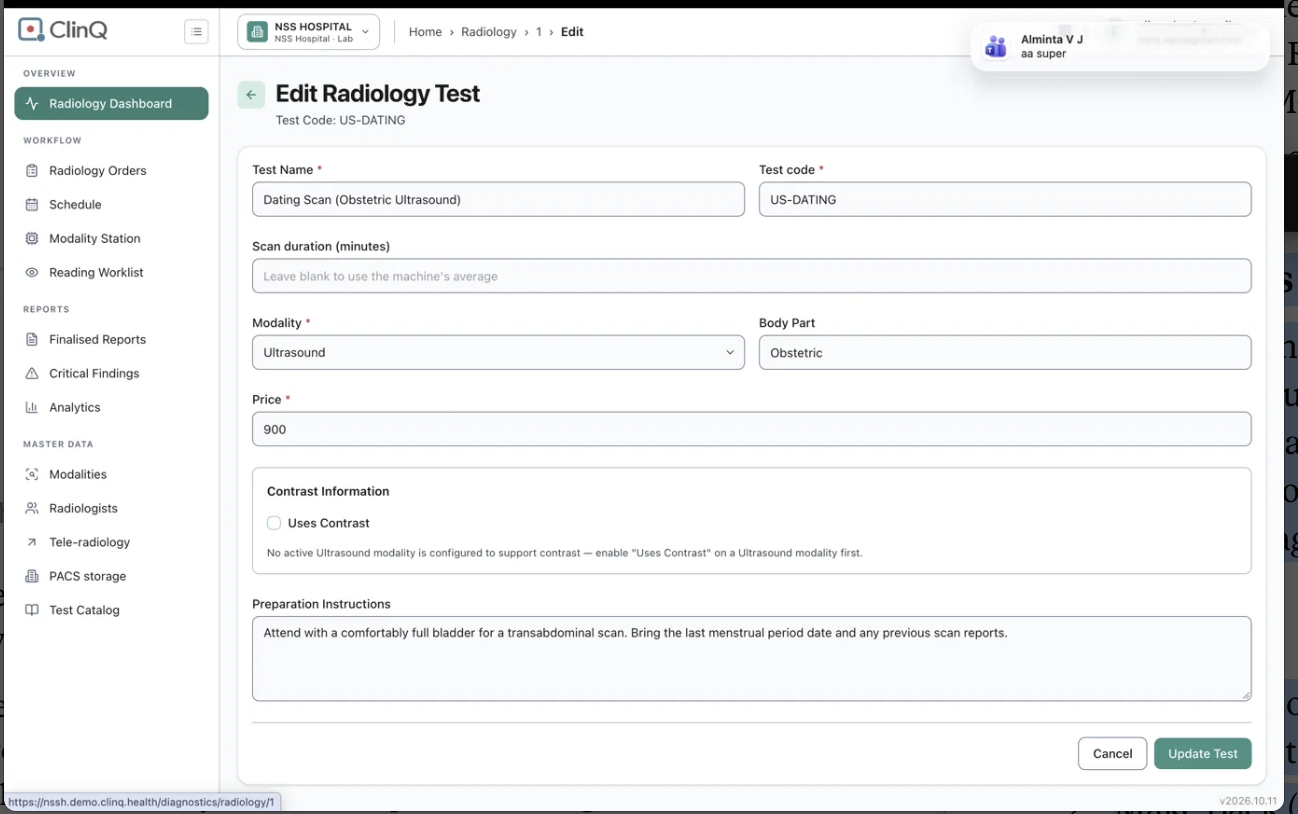
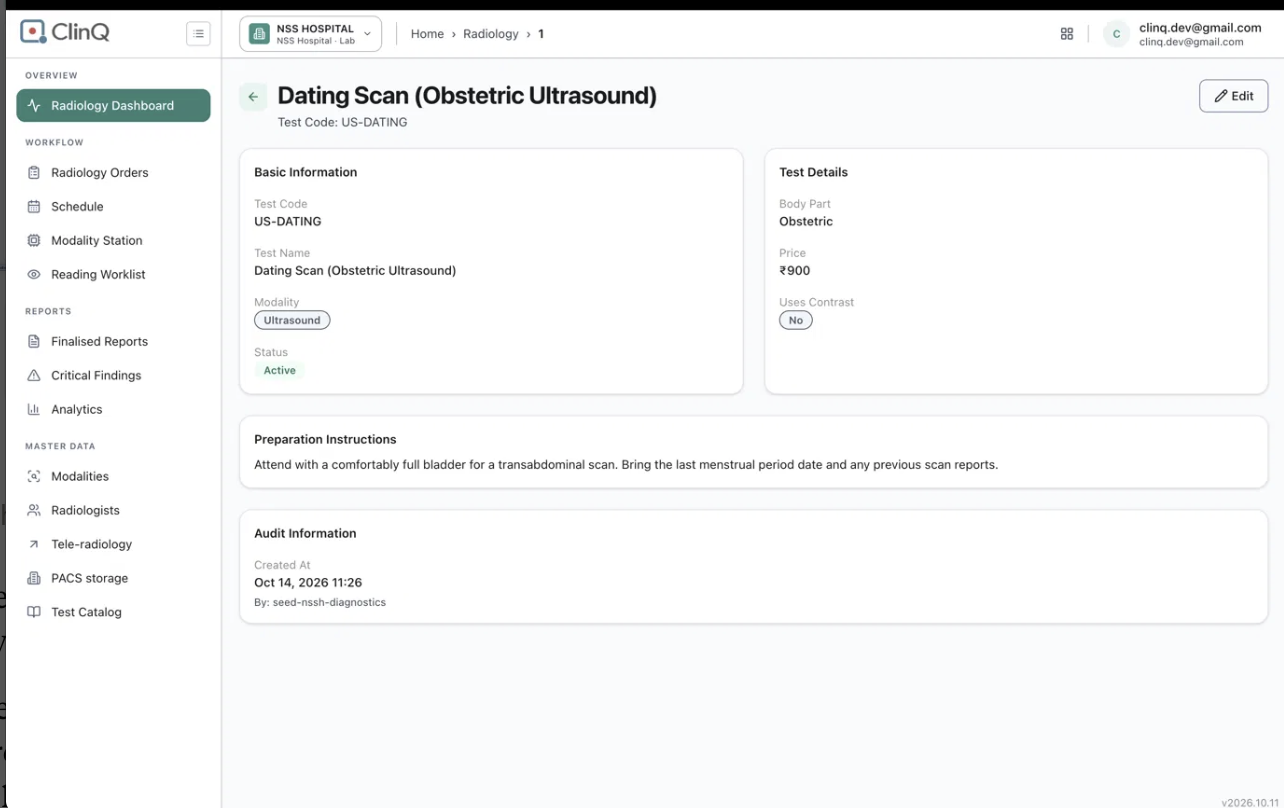
On a radiology test (for example Dating Scan, code US-DATING), the Back arrow on the Edit page opens the test's detail page, and the Back button on the detail page opens the Edit page again. The user can never get back to the Test Catalog list with the Back buttons and has to use the side menu.
Details
Environment: https://nssh.demo.clinq.health (NSS Hospital demo, build v2026.10.11)
Module: Diagnostics > Radiology > Test Catalog > test detail (/diagnostics/radiology/1) and Edit (/diagnostics/radiology/1/edit)
Logged in as: clinq.dev@gmail.com (admin), as shown in the screenshots
Reported by: Roshni Harish
Date: 19 Oct 2026
Steps to reproduce
Open Radiology > Test Catalog and open the test "Dating Scan (Obstetric Ultrasound)" (US-DATING). The detail page opens.
Click Edit. The page "Edit Radiology Test" opens.
Click the back arrow at the top left of the Edit page. The detail page opens.
Click Back at the top left of the detail page. The Edit page opens again.
Repeat steps 3 and 4. It does not end.
Expected
Back on the Edit page returns to the detail page (or the previous page), and Back on the detail page returns to the Test Catalog list.
The user can reach the list in at most two clicks, without using the side menu.
Actual
Edit page Back goes to the detail page.
Detail page Back goes to the Edit page.
The loop continues for as long as the user clicks Back.
Also noticed
A read-only look at the pages suggests a likely cause (not confirmed): the Edit page's back arrow is a normal link to the detail page, and the Back on the detail page is a button that probably goes back one step in the browser history, which is the Edit page. Together they form a loop.
Breadcrumb: the breadcrumb on both pages shows the raw number "1" (Home > Radiology > 1 > Edit), not the test name or "Test Catalog".
Side menu highlight: the side menu highlights "Radiology Dashboard" on these pages, not "Test Catalog", which is where the user came from.
Why it matters
Users get stuck in a loop on a master data screen and have to use the side menu to leave. It looks broken, and users may click Update Test or leave the page without saving, because they cannot tell how to go back. If the same pattern is used on other detail and edit pages, it may affect many screens.
Suggested fix
Make Back on the detail page go to its parent list (Test Catalog) with a fixed link, not the browser history.
Make Back (and Cancel) on the Edit page return to the detail page.
Show a useful breadcrumb: Radiology > Test Catalog > Dating Scan (US-DATING) > Edit.
Highlight Test Catalog in the side menu.
Check other detail and edit pages for the same pattern.
Priority
Low to Medium
Files