Bug #471
closedView Button Downloads External Referral Document Instead of Previewing It
0%
Description
Description:
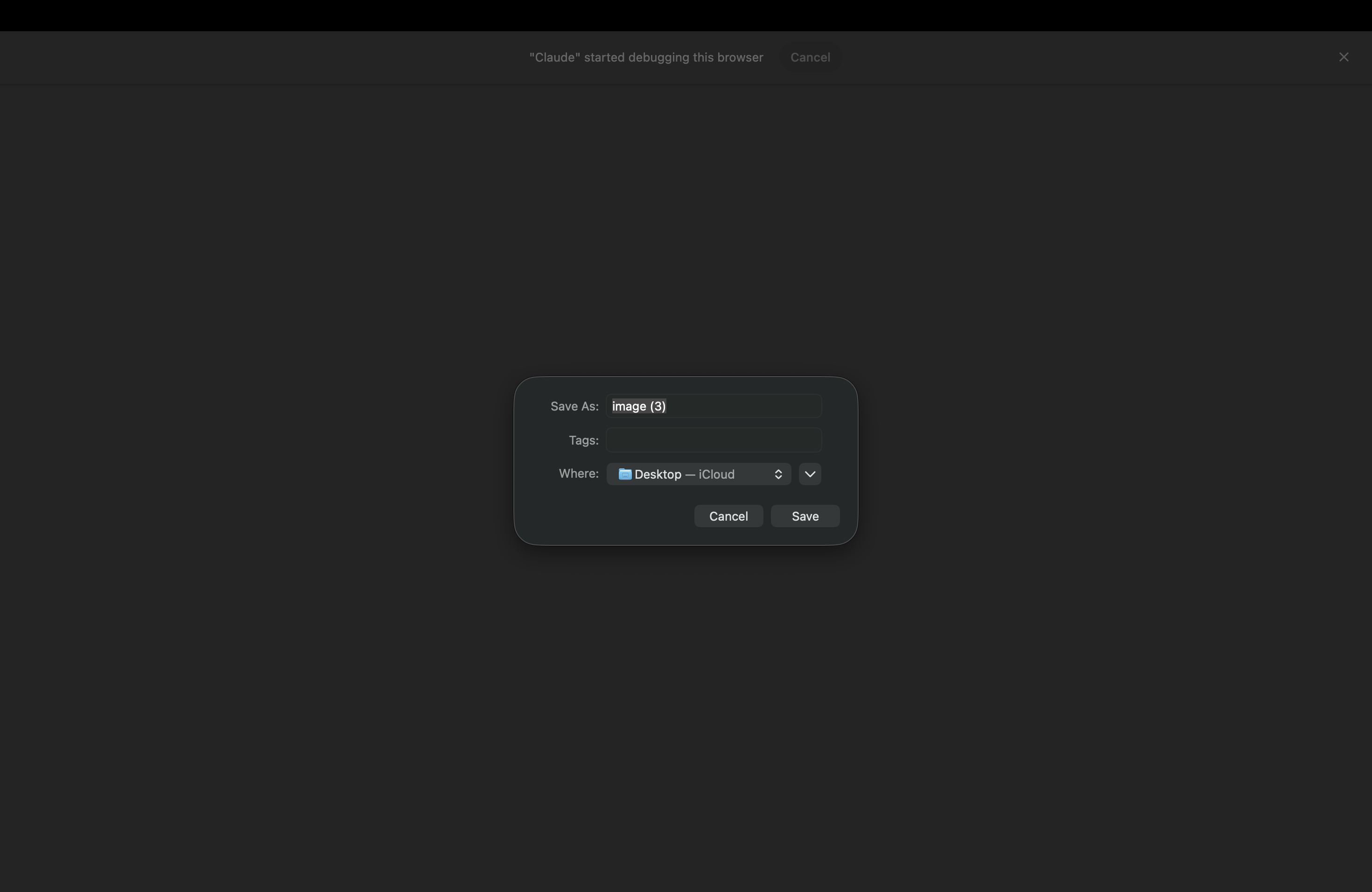
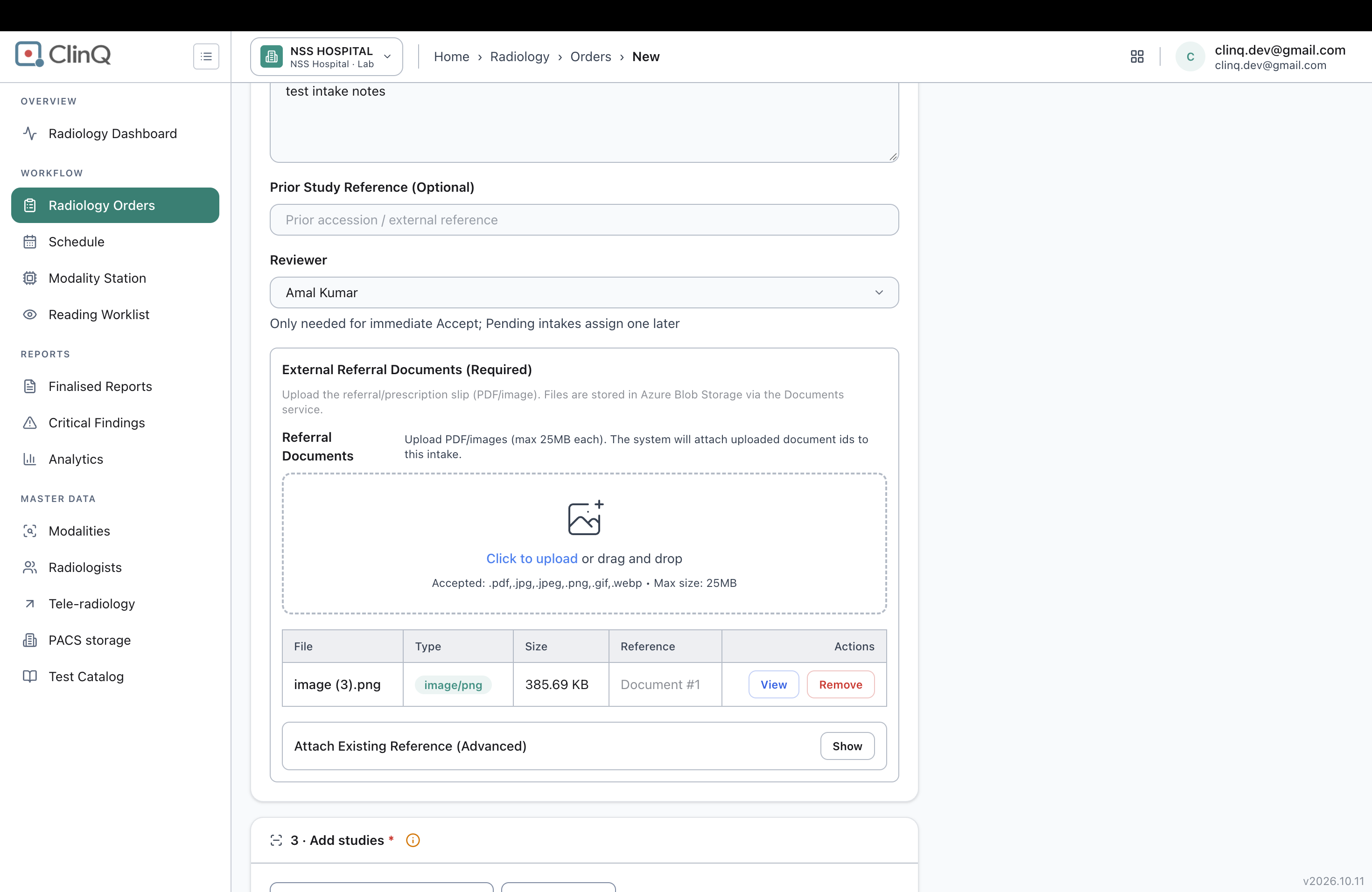
In the Radiology > Orders > New Intake workflow, clicking the View button under the External Referral Documents section downloads the uploaded PDF or image file instead of displaying it in a preview modal or a new browser tab. The browser opens the macOS Save As dialog, requiring users to save the file locally to view its contents. The View action should allow users to preview the uploaded document directly without downloading it.
Steps to Reproduce
Navigate to Radiology > Orders > New.
Scroll to the External Referral Documents section.
Upload a valid PDF or image file (e.g., image (3).png).
Under the Actions column, click the View button for the uploaded document.
Expected Result
The uploaded document should open in an in-app preview modal or a new browser tab, allowing the user to view the document without downloading it.
Actual Result
Clicking the View button triggers the browser's file download process and opens the macOS Save As dialog instead of displaying the document preview.
Impact
Users must download files locally to verify external referral documents before submitting the radiology intake, disrupting the workflow and reducing usability.
Suggested Fix
Verify that the View action does not use the download attribute.
Ensure the file is served with the appropriate Content-Disposition: inline response header instead of attachment, where supported.
Alternatively, implement an in-app document preview modal or open the document in a new browser tab using the appropriate file URL.
Files
AV Updated by Alminta V. 24 days ago
- Status changed from New to Resolved
- Assignee changed from Alminta V. to Roshni Harish.
- Resolved By set to Alminta V.
RH Updated by Roshni Harish. 22 days ago
- Status changed from Resolved to Closed