Bug #302
closedRadiology: a Radiologist gets "Access denied" after clicking "Open in Reading cockpit", and sees almost no menu items
0%
Description
When a user with the Radiologist role opens an order that is "Acquired, awaiting radiologist read" in the Worklist and clicks Open in Reading cockpit, the page shows "Access denied. You don't have permission to view this." The Radiology menu for this user also shows only Worklist and Test Catalog, with no Reading Worklist, Finalised Reports, Critical Findings or Dashboard. Reading and reporting are the main job of a radiologist, so the role's permissions look wrong. The app offers the button but then refuses it, and the radiologist can't read or report a study.
Environment: https://vvmc.test.clinq.health (Vetri Vivega Medical Center, test tenant), build v2026.10.4 Module: Diagnostics → Radiology → Worklist → Reading cockpit, and role-based access Example order: RAD-ORD-1-6, Chest X-Ray PA View, Asvin (VVMC-000045, 30M), Stat (the Reading cockpit address is /diagnostics/radiology/reading/3) Logged in as: roshni.h+5@expericia.com (a user with the Radiologist role, as set up by the tester) Reported by: Roshni Harish (roshni.h@expericia.com) Date: 8 Oct 2026
Steps to reproduce
As an admin, create a user with the Radiologist role (here roshni.h+5@expericia.com), and add them in Radiology → Radiologists if needed.
Sign in as that user and look at the Radiology menu on the left.
Open Worklist and click an order that has been scanned and is waiting to be read (here RAD-ORD-1-6, Asvin). The dialog says "Status: Acquired, awaiting radiologist read".
Click Open in Reading cockpit.
Expected result
A radiologist can:
see the Reading Worklist, Finalised Reports and Critical Findings (and the Dashboard, if the hospital allows it),
click Open in Reading cockpit, write the report and finalise it,
raise a critical finding.
A radiologist doesn't need to book slots, take patients in at Intake or change the master data, so those can stay hidden. A button the user is not allowed to use is hidden or disabled. If a page is not allowed, the page says which permission is needed and who to ask.
Actual result
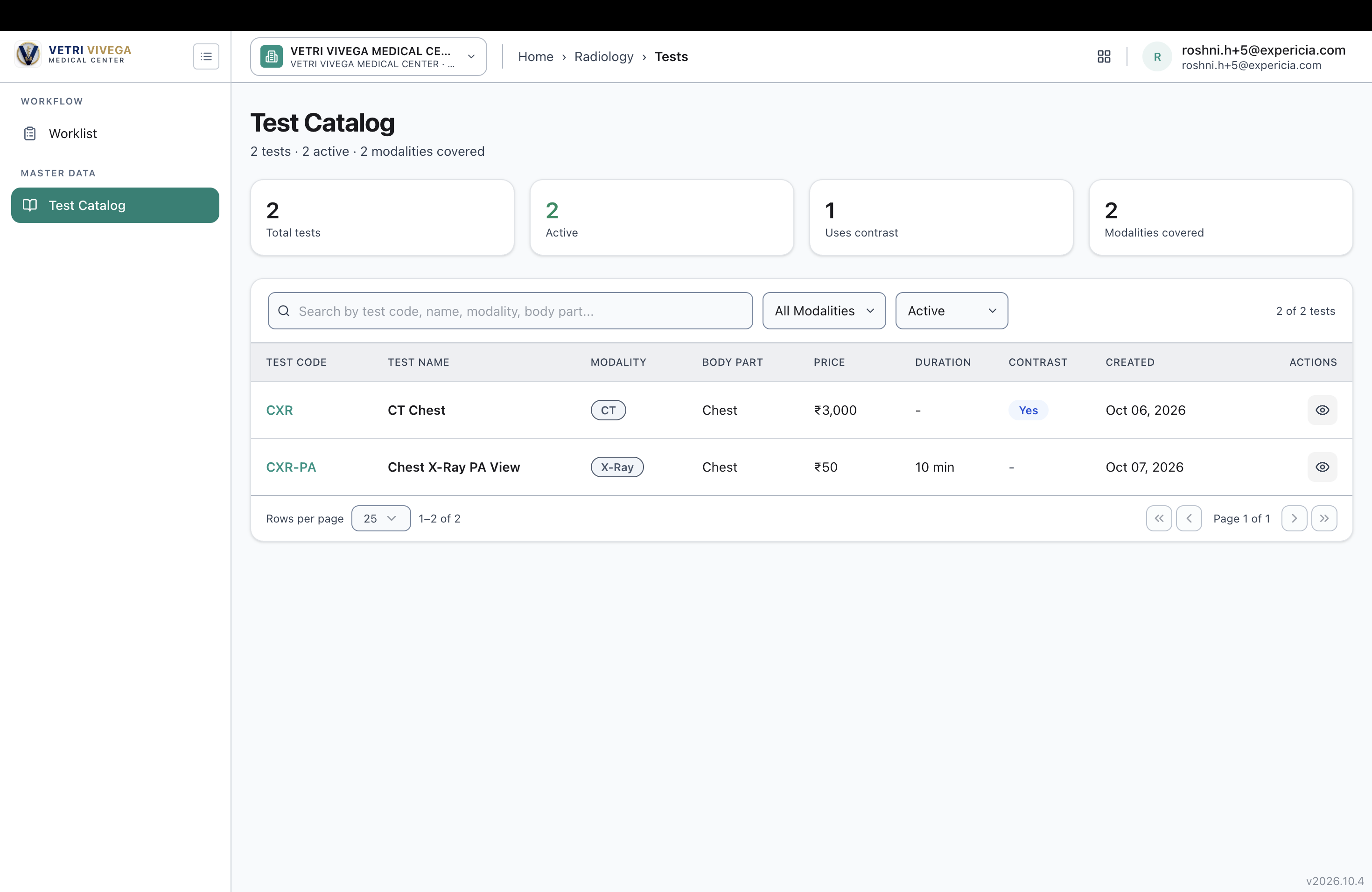
The menu shows only Worklist and Test Catalog.
Open in Reading cockpit is shown, but clicking it opens a page that says "Access denied. You don't have permission to view this." There is no explanation, and no button to go back.
Also noticed
The status in the dialog disagrees with itself. For RAD-ORD-1-6 the dialog says "Status: Acquired, awaiting radiologist read", but the details box above it shows Status Pending, with a booked time of 16:00 to 17:00. One of the two is wrong (see also the earlier reports on status mismatches).
Test Catalog is visible to the radiologist, but the Reading Worklist is not. The menu looks the wrong way round: a master data screen is allowed, while the main work screen is not.
The Radiologists & Radiographers page showed "0 radiologists · 0 radiographers" earlier today. The user's role and the radiologist staff record may be two separate things, and the user may have the role without a linked staff record. This is a guess. I haven't checked whether this user has one.
Not checked
The permissions set for the Radiologist role in Admin. I don't know which permissions were meant to be on.
Whether the user has a linked radiologist record (Radiology → Radiologists), and whether that changes the menu or the Reading cockpit.
Whether the Reading cockpit opens for an admin on the same order. I haven't tested it.
Whether other roles (Radiographer, Technician, Front desk, Doctor) see the right menu items. Each role should be checked.
Why it matters
The radiologist role is the one that finalises reports. If they can't open the Reading cockpit, no report can be written or finalised by the people meant to do it, and the whole path from order to report stops. Staff may be given broader roles (such as Admin) just to get the work done, which defeats role-based access.
Suggested fix
Give the Radiologist role the permissions for the Reading cockpit and Worklist reading actions, Finalised Reports and Critical Findings, and take away the ones they don't need.
Review the permissions of every Radiology role against the screens each one needs, and write the result down as a role-permission table.
Hide or disable buttons the user is not allowed to use, such as Open in Reading cockpit.
Make the "Access denied" page useful: say what is needed and who to contact, and give a link back to a page the user can open.
Hide menu items the user can't open, and show the ones they can.
Priority
High. The role that finalises reports can't open the screen to do it, so reporting is blocked for them.
Files
AV Updated by Alminta V. about 1 month ago
- Status changed from New to Resolved
- Assignee changed from Alminta V. to Roshni Harish.
- Resolved By set to Alminta V.
RH Updated by Roshni Harish. 25 days ago
- Status changed from Resolved to Closed